Roles scoped per site
Viewer, recruiter or admin, each limited to the sites they work on. Records outside someone's sites simply don't exist for them.
v0.1.0 Self-hosted · Cloudflare or Docker
ATS is an applicant tracker that sits behind the form you already have. Your site keeps its form, each application is sent to ATS signed, and HR works them in a fast split inbox.
Features
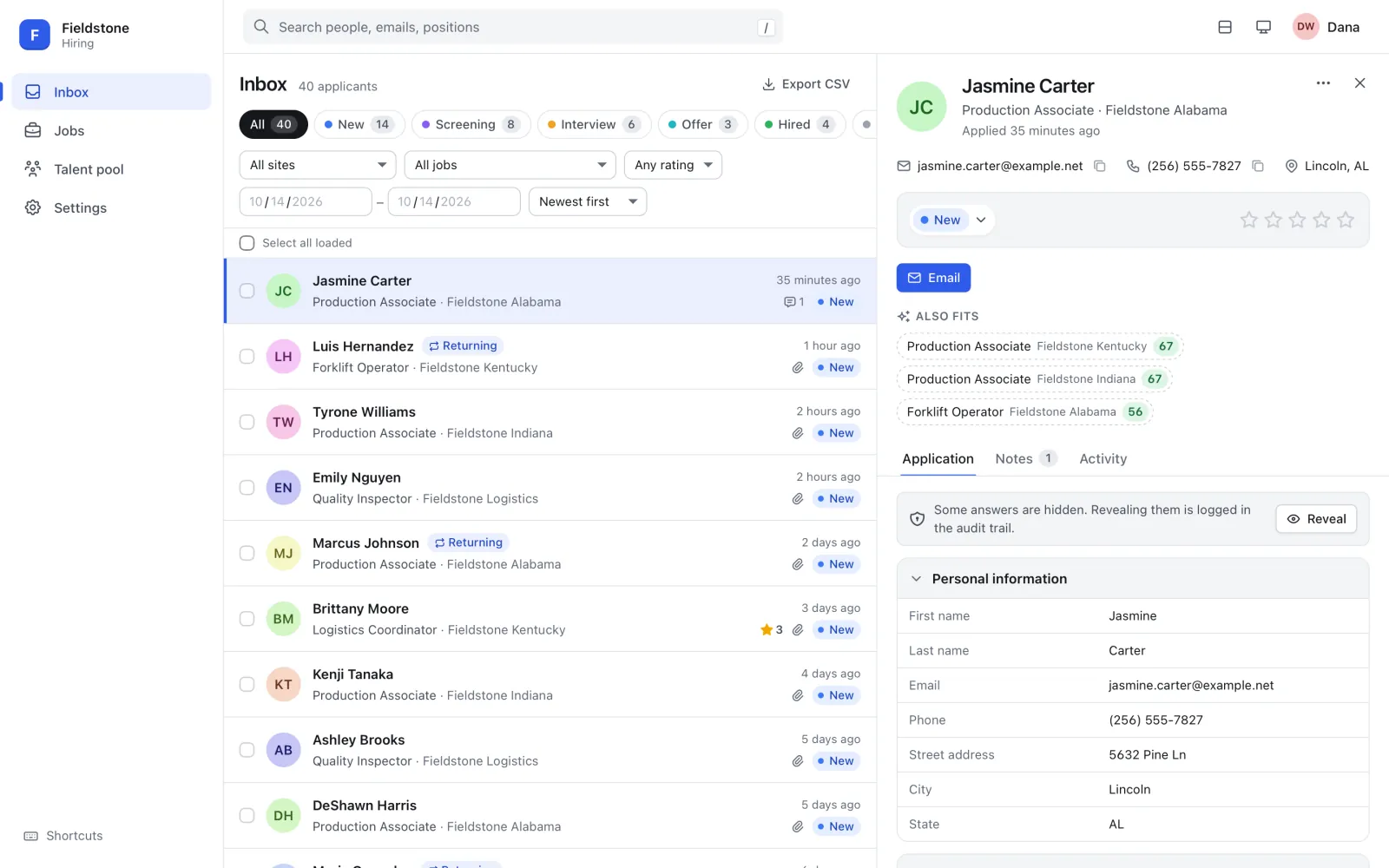
The form stays on your site. ATS gives the people reviewing applications one calm place to read, move, rate and reply.
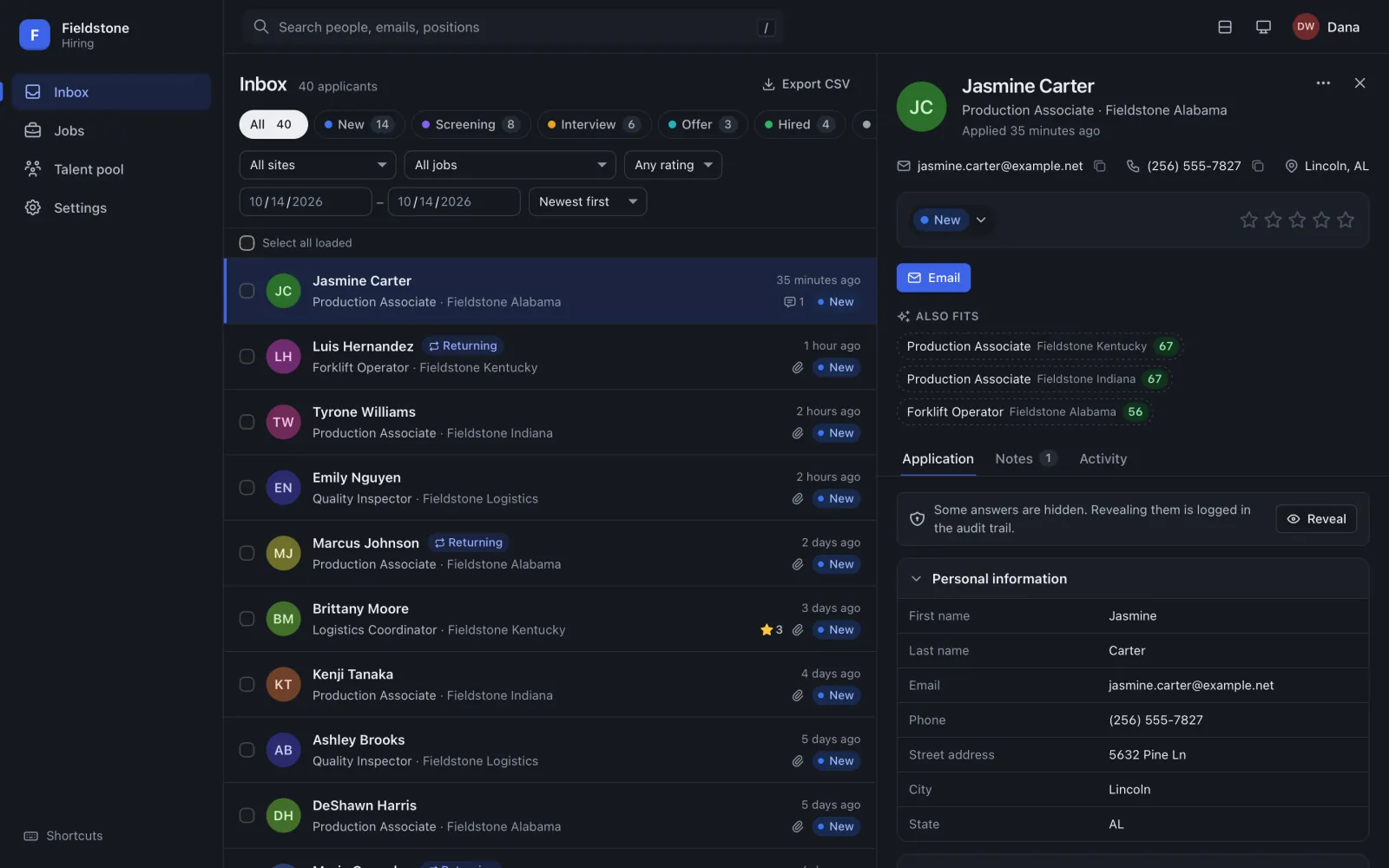
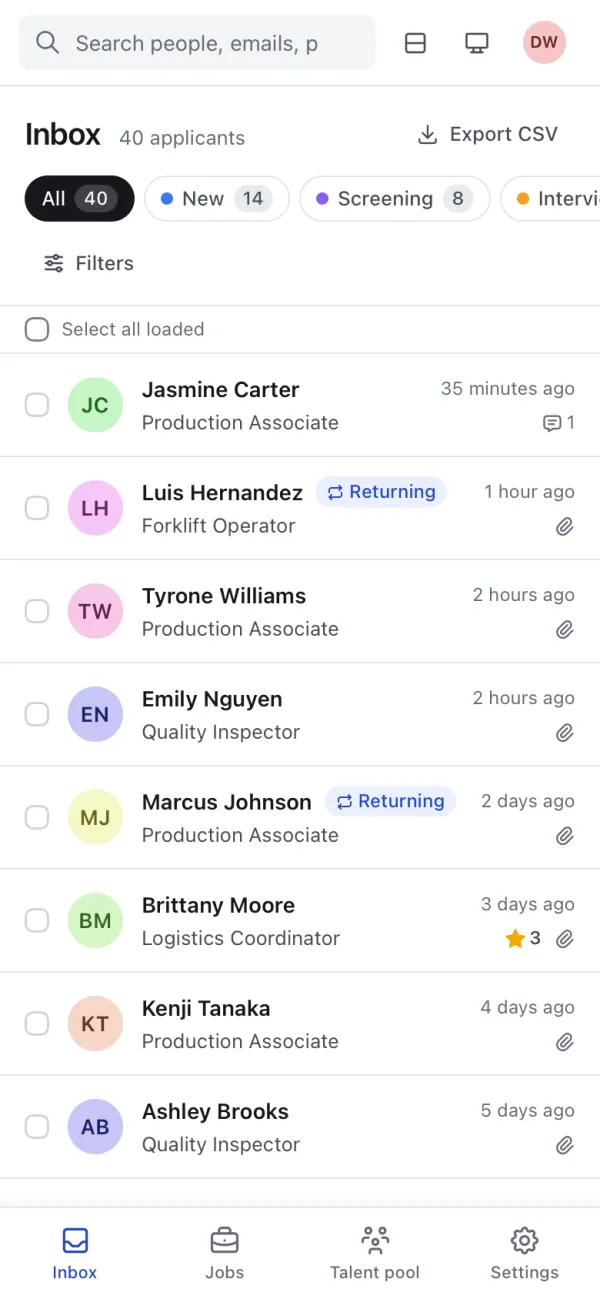
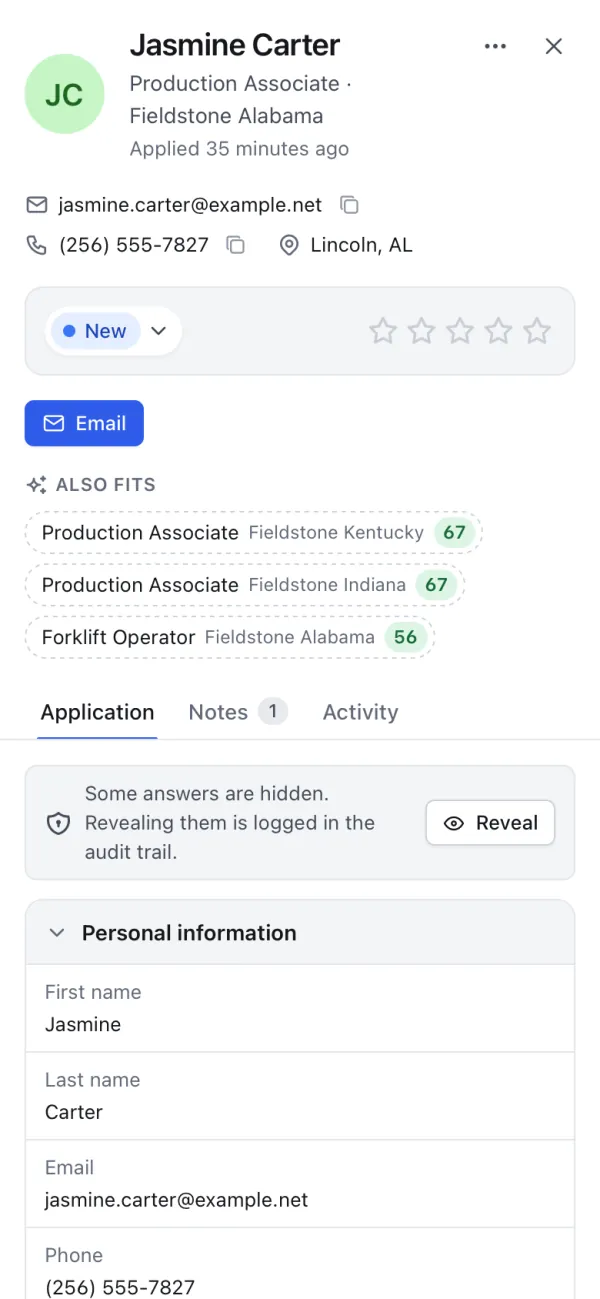
Stage tabs with live counts, filters and full-text search on the left; the whole application on the right. On wide screens the drawer docks beside the list, on phones it becomes a full-screen sheet.
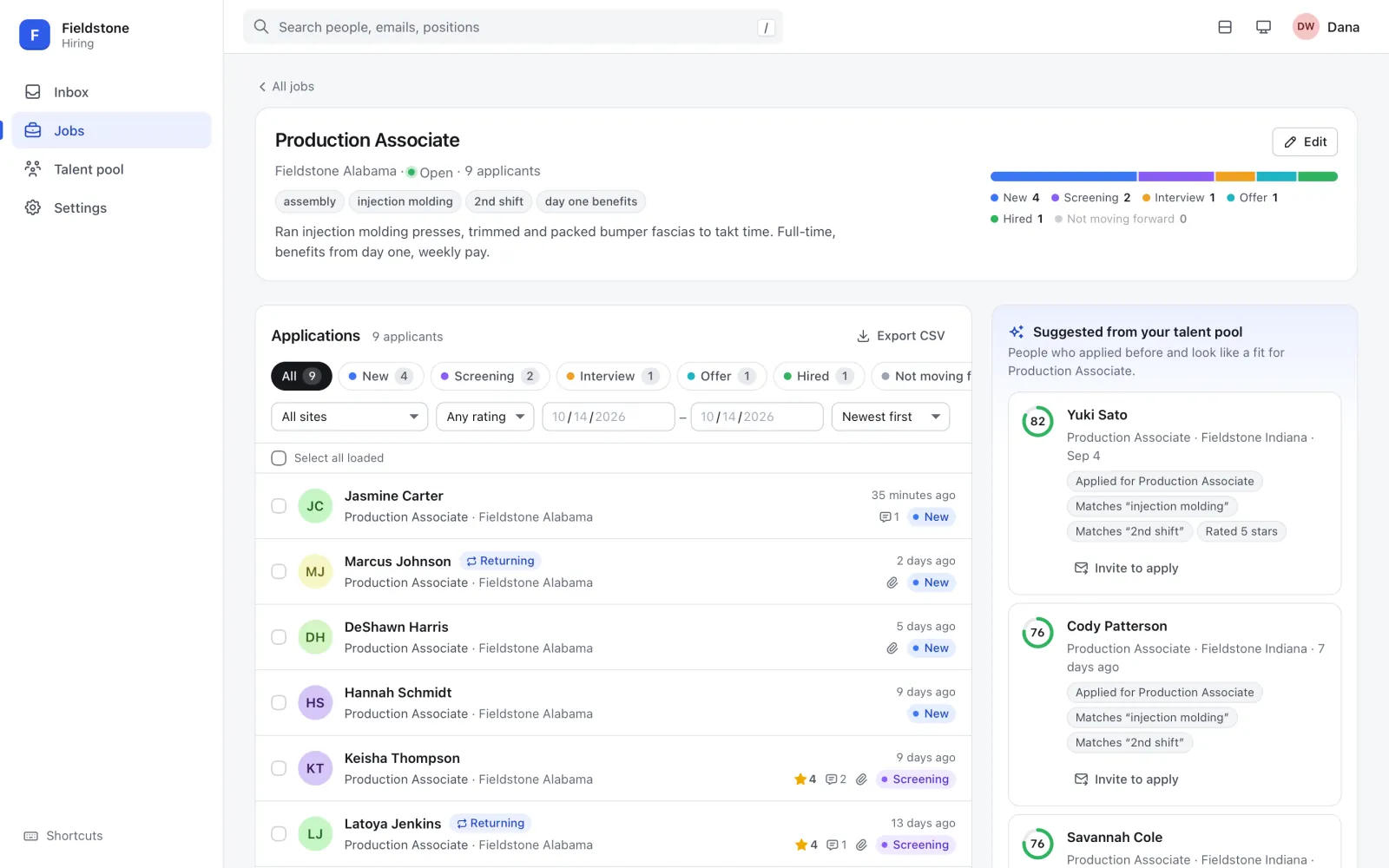
Openings are grouped per site with pipeline bars. Each job has a Suggested from your talent pool panel: past applicants who opted in, scored against the opening with plain-language reasons like “Applied for Forklift Operator” or “Reached Interview”.
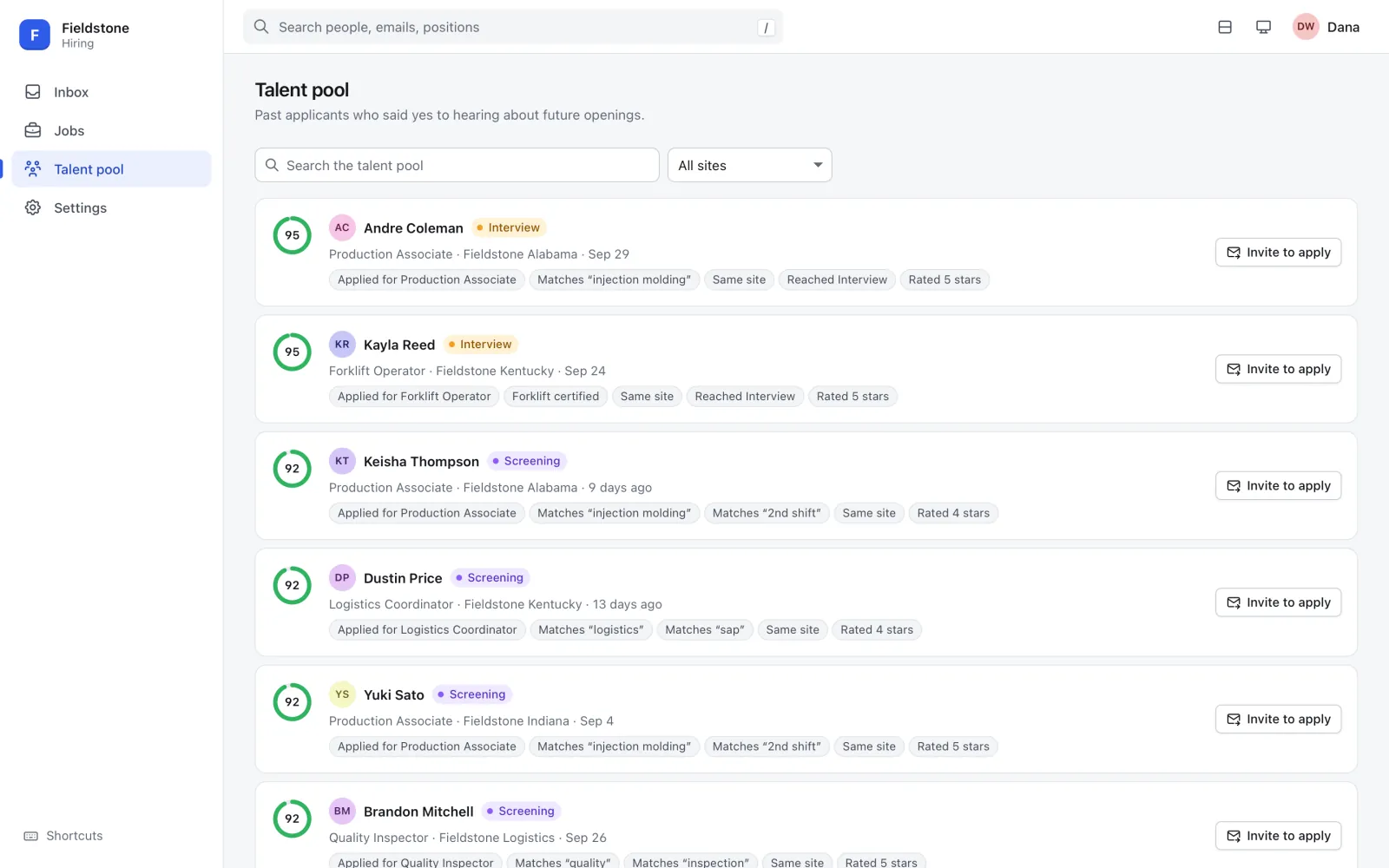
Browse everyone who agreed to hear about future openings, search it, filter it by site, and see why each person fits before you reach out.
Built for trust
Viewer, recruiter or admin, each limited to the sites they work on. Records outside someone's sites simply don't exist for them.
Criminal history, work authorization and any fields you choose stay hidden until a recruiter reveals them, and every reveal is logged.
Views, reveals, downloads, exports and changes are recorded with who and when. It stores ids and emails, never applicant answers.
Inactive candidates are purged automatically after a set number of months (longer for the talent pool, hired people kept). Admins can erase a person on request.
Audit, retention, talent pool, candidate email and HR notifications are each optional. Stages, sites, templates, sensitive fields, users and theme change without a redeploy.
Press ? for the full list: j/k to move through applications, g i for the inbox, e to email, n for a note, / to search.
Comfortable everywhere
Everyone picks light or dark and their own row density. On a phone the inbox and drawer become a focused, thumb-friendly flow, so a quick review between interviews actually works. Strings are i18n-ready.
Runs where you want
The same core runs as a Cloudflare Worker or as a single Node.js process. Your data stays in your account or on your server.
| Concern | Cloudflare Workers | Self-hosted (Node.js / Docker) |
|---|---|---|
| Database | D1 | SQLite file (node:sqlite) |
| Files | R2 | Local disk |
| Sign-in | Cloudflare Access (e.g. Microsoft 365 SSO) | Any auth proxy that passes a verified email header |
| Microsoft Graph | SMTP or Microsoft Graph | |
| Scheduler | Cron Trigger | In-process interval |
How it connects
After your site validates a submission, its server sends a signed copy to ATS. The ingest endpoint needs no user login; the signature is the credential.
/ats/ingest with an HMAC signature. Retries are safe.FAQ
No. Your website stays the source of the form. After it validates a submission, its server posts a signed copy to ATS. See Connect a form.
In your infrastructure: a SQLite database and a files folder on your server (Node.js or Docker), or D1 and R2 in your own Cloudflare account. This website only hosts downloads and documentation; it never runs ATS or sees your data.
ATS never sees passwords. On Cloudflare, Cloudflare Access signs people in (for example with Microsoft 365) and ATS verifies the Access token on every API call. Self-hosted, an authenticating reverse proxy (Authelia, oauth2-proxy, Authentik, Caddy forward_auth, …) passes the user's email plus a shared secret header. Who may do what is managed inside ATS under Users & access.
Yes, with the optional candidate email module: templates sent manually from the drawer or automatically when an application arrives or enters a stage. A separate HR notify module emails your team about new applications, per site. Mail goes out over SMTP or Microsoft Graph when self-hosted, and over Microsoft Graph on Cloudflare.
A hosted, multi-workspace tier is planned. Today you run ATS yourself, on Cloudflare or on any machine that runs Docker or Node.js.
Licensing terms TBD. Check the downloads page for the current terms.
Download the kit, pick Docker, Node.js or Cloudflare, and connect your form. The install guides walk you through it step by step.